BRIGHTOS OPERATIONS

Run the hotel.
Without constantly operating the software.

BrightOS connects reservations, rooms, housekeeping, guest requests, payments, access and staff workflows — then uses hotel rules and live events to move routine work forward automatically.
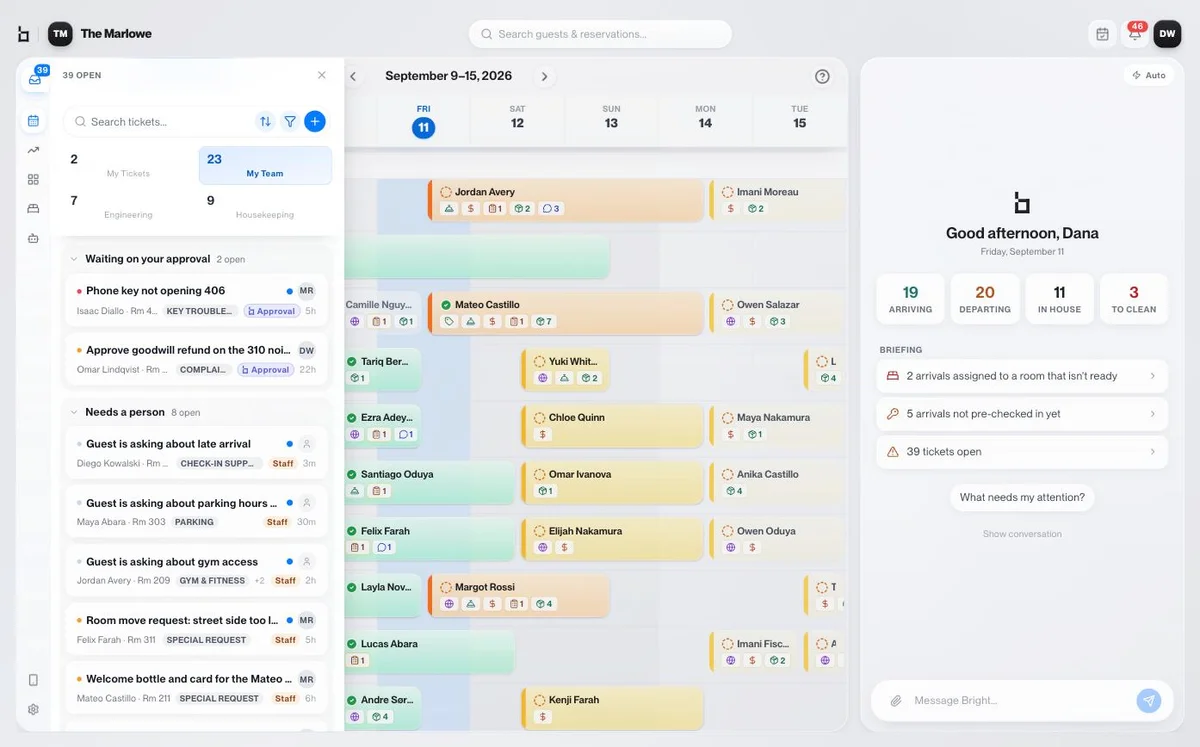
BrightOS work inbox organized by approval, owner and department
BrightOS / OperationsProperty One LIVE
TODAYHotel stateArrivals 08Departures 06Open tickets 06Dirty rooms 03
Operating viewMON 25 AUG  ·  ⌕ Search
Payment failedGuest A · Room 203 · follow-up triggeredACTION
ROOMMON 25TUE 26WED 27
203Suite · dirtyGuest Adeparture
205Suite · readyRoom moveupdated
Housekeeping ticket createdRoom 203 · source: automationVISIBLE NOW
Bright CopilotContext: hotel state

What needs my attention?

Room 203 is dirty. A payment follow-up is open.
OPERATIONS BY EXCEPTION

Routine work moves forward.
Your team sees what needs them.

Traditional hotel software waits for people to watch the system, interpret what happened and perform the next step. BrightOS follows the hotel’s rules and completes more repeatable actions automatically.

TRADITIONAL PMSEvent happensStaff noticesStaff interpretsStaff opens the right systemStaff performs the actionStaff checks the result
BRIGHTOSEvent happensBrightOS applies the hotel ruleBrightOS performs the digital actionThe result becomes visibleA person intervenes only if required

The software operates. The team supervises.

BRIGHT WORKSPACE

See the state of the hotel in one place.

Bright Workspace gives the team a live operational view of reservations, rooms, guests, conversations and work that needs attention.
Property OneMonday 25 AugustOverview
ARRIVALS083 need attention
DEPARTURES06Turnaround at 11:00
IN HOUSE42Guests staying
ROOM STATUS31 / 42Clean · inspected
ROOM / GUESTSTATUSWORKARRIVAL
Room 101Guest ACleanNone14:00
Room 203Guest BDirtyTicket #20411:30
Room 205AvailableInspectedRoom move
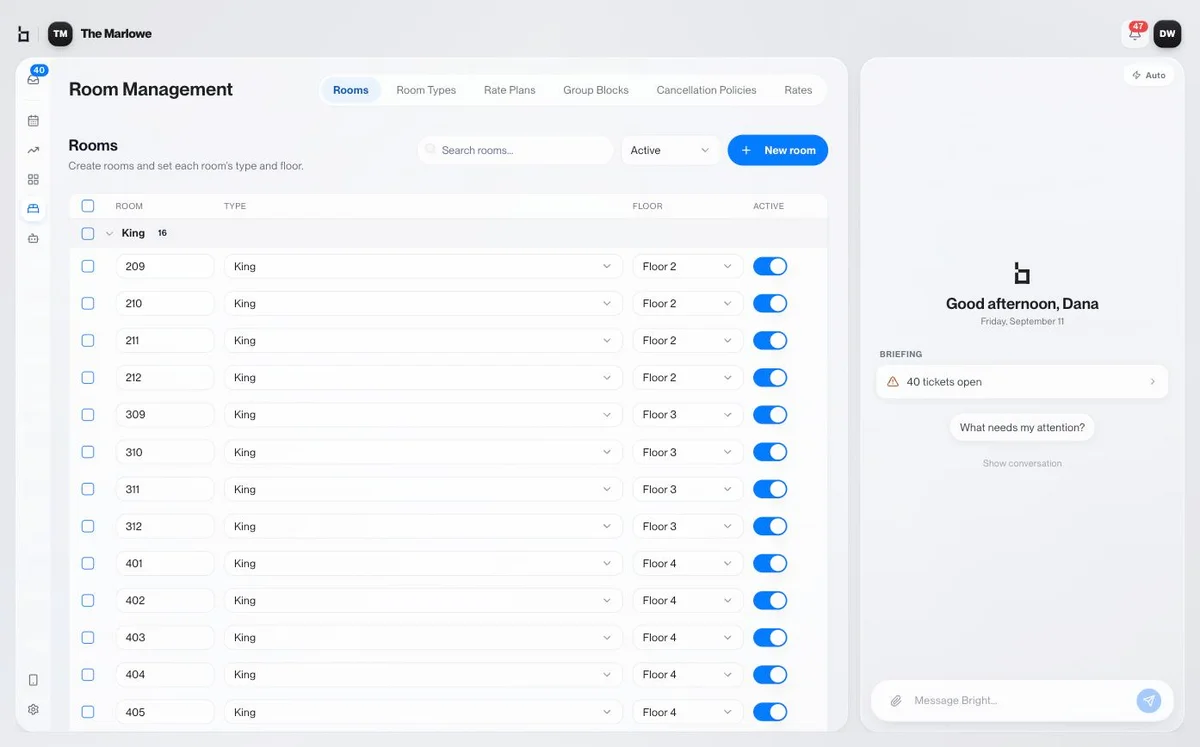
BrightOS rooms, room types and floors
Explore Bright Workspace
AUTOMATIONS

Set the rule once.
BrightOS runs it from then on.

Automations connect hotel events with the next repeatable action, so staff do not have to remember every handoff manually.

TRIGGERS AVAILABLE NOW
Reservation createdSend a message
Reservation changedTrigger follow-up
Guest checks inStart the stay workflow
Guest checks outStart departure workflow
Pre-check-in completedContinue arrival sequence
ID verification failedTrigger the configured follow-up
Add-on purchasedContinue the configured workflow
Payment failedSurface the issue
EVENT → ACTION

Payment failed

BrightOS surfaces the issue instead of letting it disappear into another workflow.

CONFIGURED ACTIONOpen a ticket
Stay-relative timing · guest / reservation / room-type filters
Daily / weekly / monthly schedulesFilters by guest, reservation or room typeCurrent actions: send a message · open a ticket
HOUSEKEEPING

Rooms create the work that needs doing.

Dirty rooms, arrivals and stayovers can automatically create housekeeping work so teams spend less time building lists and more time turning rooms.

01Guest departsRoom 203 checkout complete
02Room becomes dirtyStatus changes in BrightOS
03Ticket appearsHousekeeping · Room 203
04Room assignedOccupied / vacant context
05Clean + inspectRoom ready for arrival
AUTOMATIC WORK CREATIONDirty-room ticketsStayover refreshArrival-related workLong-stay deep cleansInspection after clean
SMARTER ASSIGNMENTSOccupied / vacant visibilityBlocked / out-of-service visibilityGroup by room type / priority / staffPrintable assignment sheets
PRACTICAL EXECUTIONRoom-status historyEarly check-in timingLate-checkout timingInspection follow-up

The room status changes. The work follows.

TICKETS & TASKS

Every issue gets context, ownership and a next step.

Housekeeping, engineering, guest experience and food & beverage work can live in the same operational ticket model.

TICKET #184Open

Guest reports A/C issue

Room 203 · Guest A · Created by Bright Concierge
Engineering owns itTask due 14:00Issue resolved
OWNEREngineeringAREARoom 203SOURCEGuest conversation
Add photo and commentAssigned
Confirm repair with Guest ANext
VISIBLE OPERATIONAL WORK

One ticket model across the hotel.

  • Readable ticket numbers
  • Tasks inside tickets
  • Owners and due dates
  • Automatic issue tagging
  • Comments and @mentions
  • Attachments and escalation
  • Common-area tickets
  • Source attribution

Common areas are part of the same context: pool deck · rooftop · garage.

06 open02 escalated03 housekeeping02 engineering01 guest experience
BRIGHT COPILOT

Ask what is happening.
Or tell BrightOS what to do.

Bright Copilot sits beside hotel operations and can take real actions inside BrightOS rather than stopping at an answer.

Bright CopilotProperty One
“Who’s arriving today?”
“Which rooms are still dirty?”
“Open high-priority tickets.”
“What needs my attention?”
BRIGHTOS

Room 203 is dirty. There are 2 open high-priority tickets.

Context found ✓
  • Ticket and task management
  • Room status and room blocks
  • Room, guest and reservation lookup
  • Check-in, checkout and reservation status
  • Authorized pre-check-in bypass
  • Masterkey issuance and Blueprint reports
Explore Bright Copilot Proactive Copilot that notices work and acts before being asked — Planned.
ARRIVAL OPERATIONS

From pre-check-in to room access with fewer manual handoffs.

When every configured condition is satisfied, BrightOS can move the arrival forward without someone touching the PMS.

01PRE-CHECK-IN COMPLETE

Details confirmed · ID verified · terms accepted · deposit process complete

02ROOM READY

Housekeeping completed the room and readiness conditions are satisfied

03CHECK-IN TIME REACHED

The configured arrival time begins

04BRIGHTOS ACTS

Guest checked in automatically

05ACCESS RELEASED

Digital key becomes available to the guest

Watch what happens without anyone touching the PMS.

No front-desk handoff required when every condition is satisfied.

ROOM MOVEGuest A
Room 203Room 205
✓ Room assignment updated✓ New access becomes valid✓ Old access stops working
Apple WalletGoogle WalletAccess log
BRIGHT ACCESS

Move the guest.
Access moves with them.

Bright Access connects room assignment and digital access so staff do not need to manually rebuild the access workflow every time the stay changes.

  • Guest keys and common-area access
  • Automatic extension for early check-in, late checkout and date changes
  • Individual keys, key revocation and masterkeys
  • Vendor access, remote unlock and access logs
Explore Bright Access
FOLIO & PAYMENTS

Keep the stay and the money connected.

Charges, payments, deposits and reservation changes remain part of the same operating context so financial exceptions are visible to the hotel.

GUEST A · ROOM 203Running balance€ 184.00Room · add-on · deposit
PAYMENT EVENTCard payment failedAutomation trigger surfacedOpen ticket →
FOLIO ACTIONSPost chargeVoid / adjust / compMove paymentRefundGuest bill by link
Folios · taxes · fees · external paymentsAuthorise now · capture later · saved cardsSecurity deposits · checkout blocked while money is owed

Complete BrightOS system of record without an underlying PMS — In development.
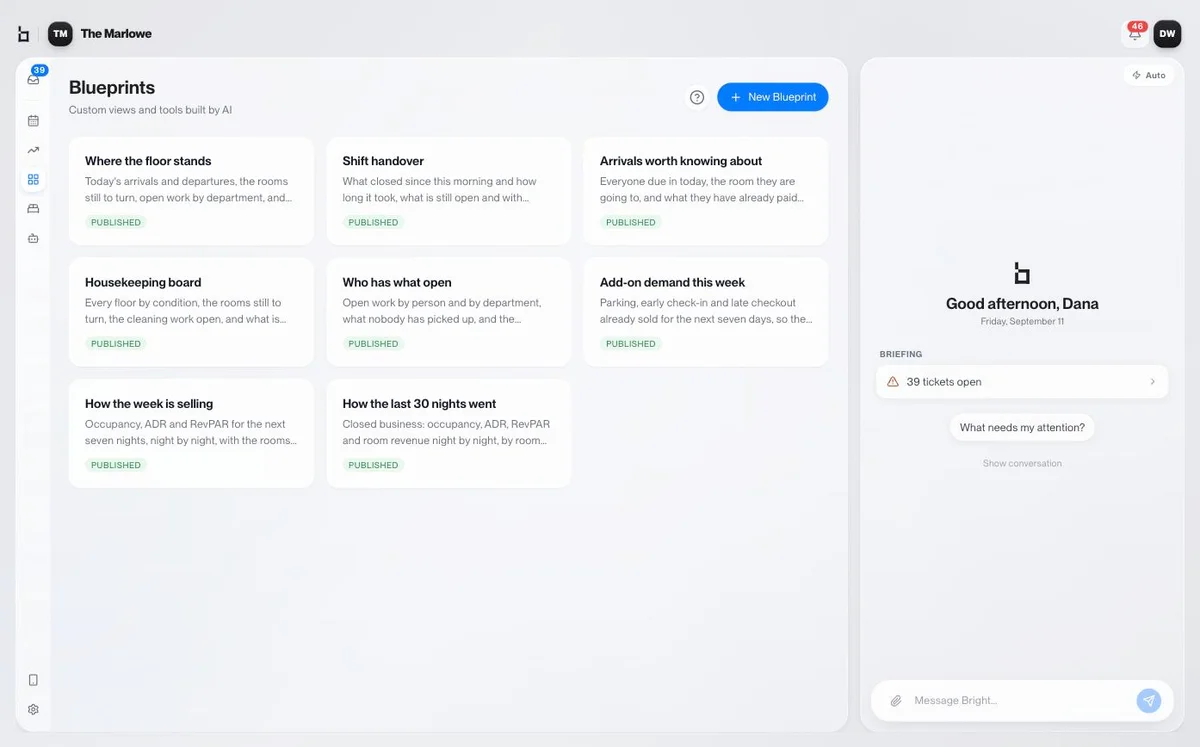
Bright Blueprints library built by AI
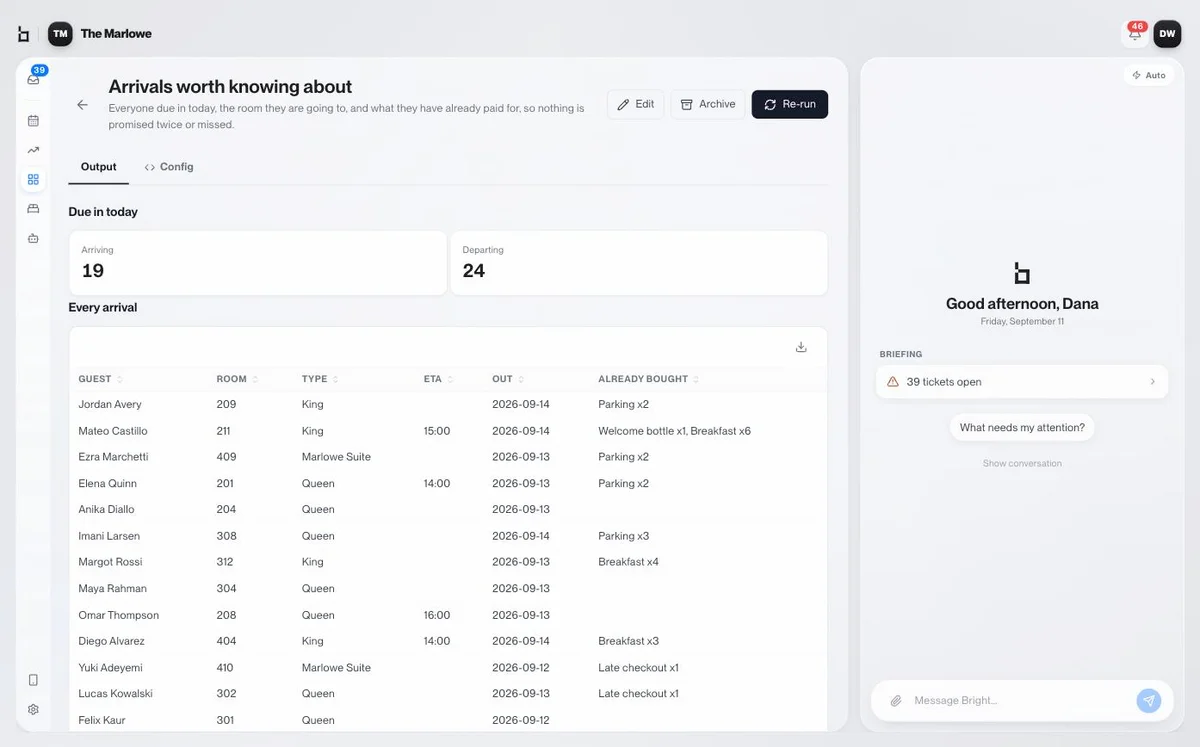
Bright Blueprint arrivals report with live hotel data
BRIGHT BLUEPRINTS

Describe the report you need.

Managers can describe a report in plain language and Bright Blueprints assembles it from live BrightOS data.

BETA
  • Reservations, rooms, tickets, guest tags and add-ons
  • Written AI summaries and reusable reports
  • CSV export and running reports through Copilot
Standard finance and revenue reporting — In development.
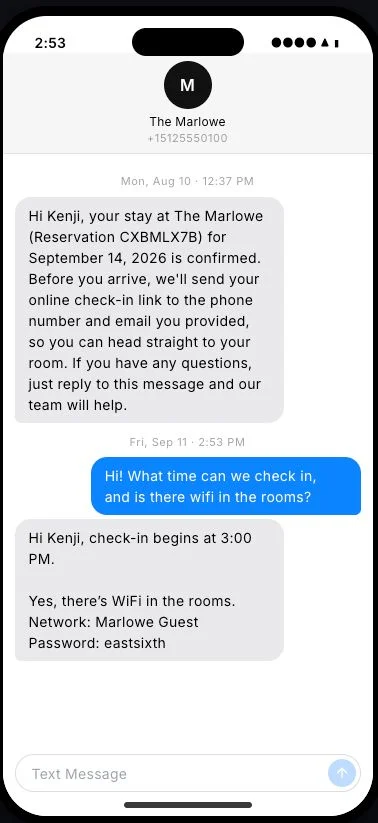
Guest texting the hotel agent
BRIGHTOS / TEXTRoom 302 is clean.Room status updated ✓Housekeeping
BUILT FOR PEOPLE ON THEIR FEET

Hotel operations happen around the property, not just behind a desk.

Housekeepers, engineers, managers and guest-experience staff can work on desktop, tablet, phone, text and WhatsApp where supported.

HOUSEKEEPING“Room 302 is clean.”ENGINEERING“Add a photo to ticket 184.”MANAGER“What high-priority tickets are open?”GUEST EXPERIENCE“Is Room 205 occupied?”
Run the whole shift by text message. No login, no app, no extra device to carry.Housekeeping text workflows currently support English and Spanish.

Let software handle the repeatable work.
Put people where people create value.

BRIGHTOS HANDLESReservation updatesRepetitive communicationCheck-in workflowsAccess deliveryRoom-status logicTicket creationAutomation triggersDigital follow-up
PEOPLE FOCUS ONHospitalityHousekeepingMaintenanceSecurityJudgmentPhysical workComplex exceptionsHigh-value guest moments

Automate what technology can do. Let people focus on what only people can do.

BRIGHTOS IN ACTION

One guest request. Connected work across the hotel.

Different BrightOS products coordinate around a real hotel request while the team completes the physical work.

GUEST“Can I get more towels?”
BRIGHT CONCIERGEUnderstands the request from the guest conversation.
BRIGHTOSCreates the appropriate housekeeping request.
WORKSPACETicket visible with room and guest context.
HOUSEKEEPINGCorrect person receives the work.
TEAMPhysical task completed. Record kept.

Software handles the coordination. People handle the hospitality.

SWITCH PROPERTYProperty One
Property One 42 rooms · 08 arrivalsProperty Two 28 rooms · 04 arrivalsProperty Three 36 rooms · 06 arrivals
One login · Separate tabs · Per-property alerts
FOR HOTEL GROUPS

One operating model across more than one property.

BrightOS supports multi-property teams with one login, property switching, role-based permissions and per-property operational settings.

  • Switch between hotels
  • Property-specific notification preferences
  • Safe operation with multiple hotel tabs open
  • Central model with property-specific rules

More automation.
Full visibility.

BrightOS reduces manual operation without removing hotel control.
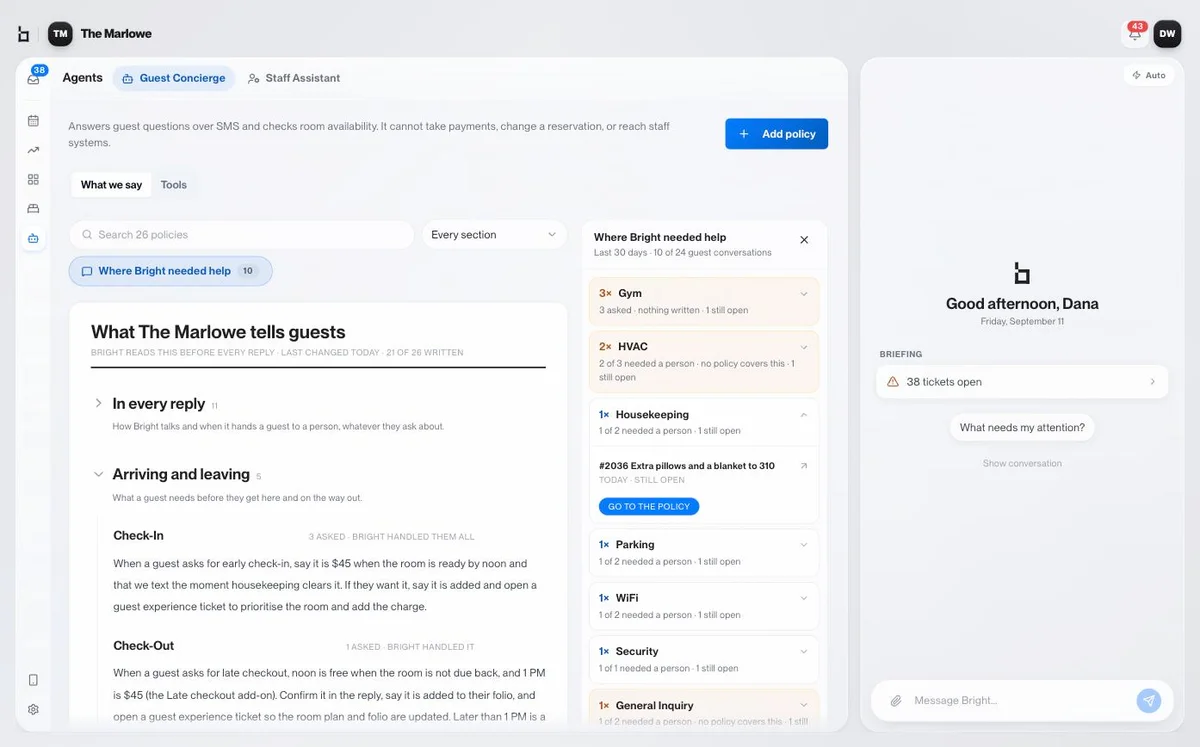
BrightOS gaps where a person was needed
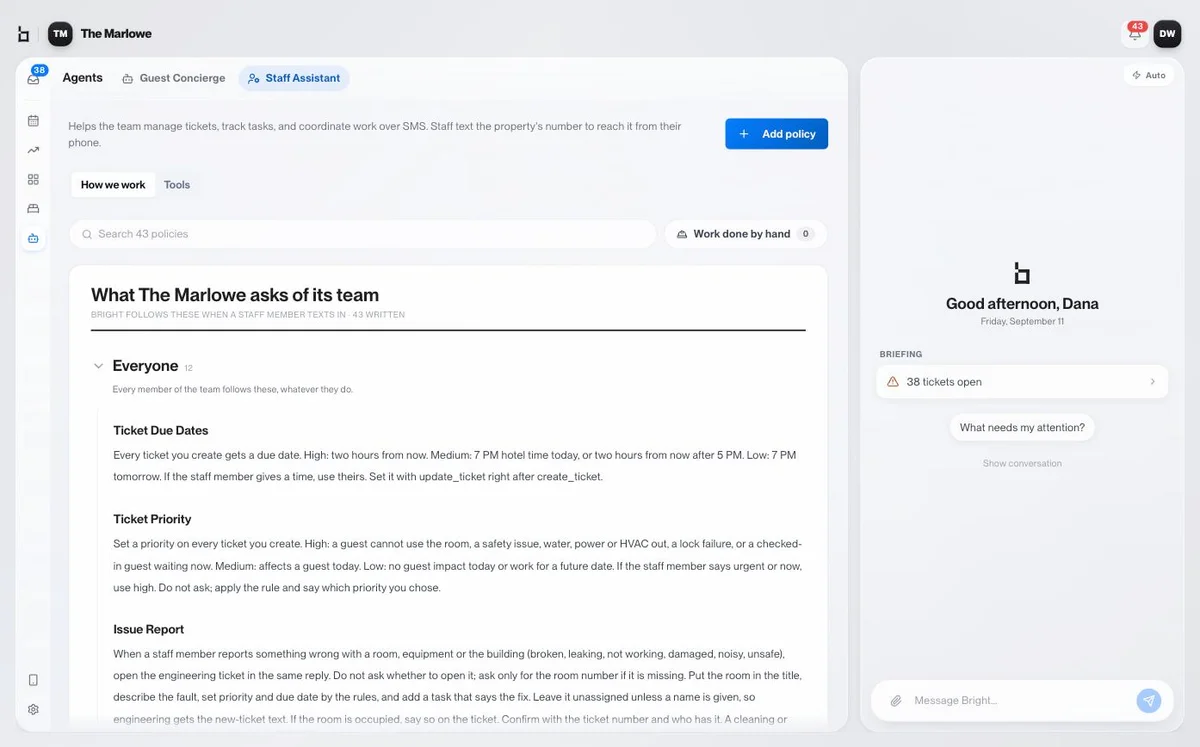
BrightOS staff assistant policies by role
09:42Automation

Created Ticket #204

Source recorded · Guest conversation
09:45Bright Copilot

Updated Room 203 → Dirty

AI action labelled · Role permitted
09:48M. Lee

Assigned Engineering task

Named staff action · Audit trail
Role-based permissionsHotel-defined policiesSeparate staff / guest AI rulesHuman approval and takeoverTicket source attributionAccess logsManager conversation inspection where permitted

The hotel decides. BrightOS executes. Everything stays visible.

PRODUCTS BEHIND BRIGHTOS OPERATIONS

The operating model is connected by design.

01Bright WorkspaceLive operating environment
02Bright CopilotStaff AI and operational actions
03AutomationsRule-based repeatable workflows
04Housekeeping & EngineeringPhysical-work coordination
05Bright Check-InArrival automation
06Bright AccessGuest and staff access
07Folio & PaymentsFinancial operating context
08Bright BlueprintsManagement reporting · Beta
Explore the full BrightOS platform
PRODUCT STATUS / TRUST

Clear about what is live, building and planned.

Credibility comes from showing the operating model as it exists today, not from making every roadmap item sound finished.

AVAILABLE NOWBright WorkspaceBright CopilotAutomationsHousekeeping & EngineeringAutomatic check-inBright AccessCore Folio & Payments functionality
BETABright Blueprints
IN DEVELOPMENTComplete system of record without an underlying PMSStandard finance and revenue reporting
PLANNEDProactive Copilot that notices work and acts before being asked

Less manual operation.
More attention where it matters.

BrightOS reduces repetitive digital work that requires constant staff attention, helping hotels build leaner operations while putting people into service, maintenance, housekeeping, security and high-value guest interaction.

Less repetitive administration
Fewer manual handoffs
More scalable hotel teams
More human attention for the guest and property
THE NEXT STEP

Ready to let BrightOS handle more of the operation?

Set the rules. Let BrightOS perform more of the repeatable work. Keep your team focused on what needs people.